Filter your Way to the Right Destination
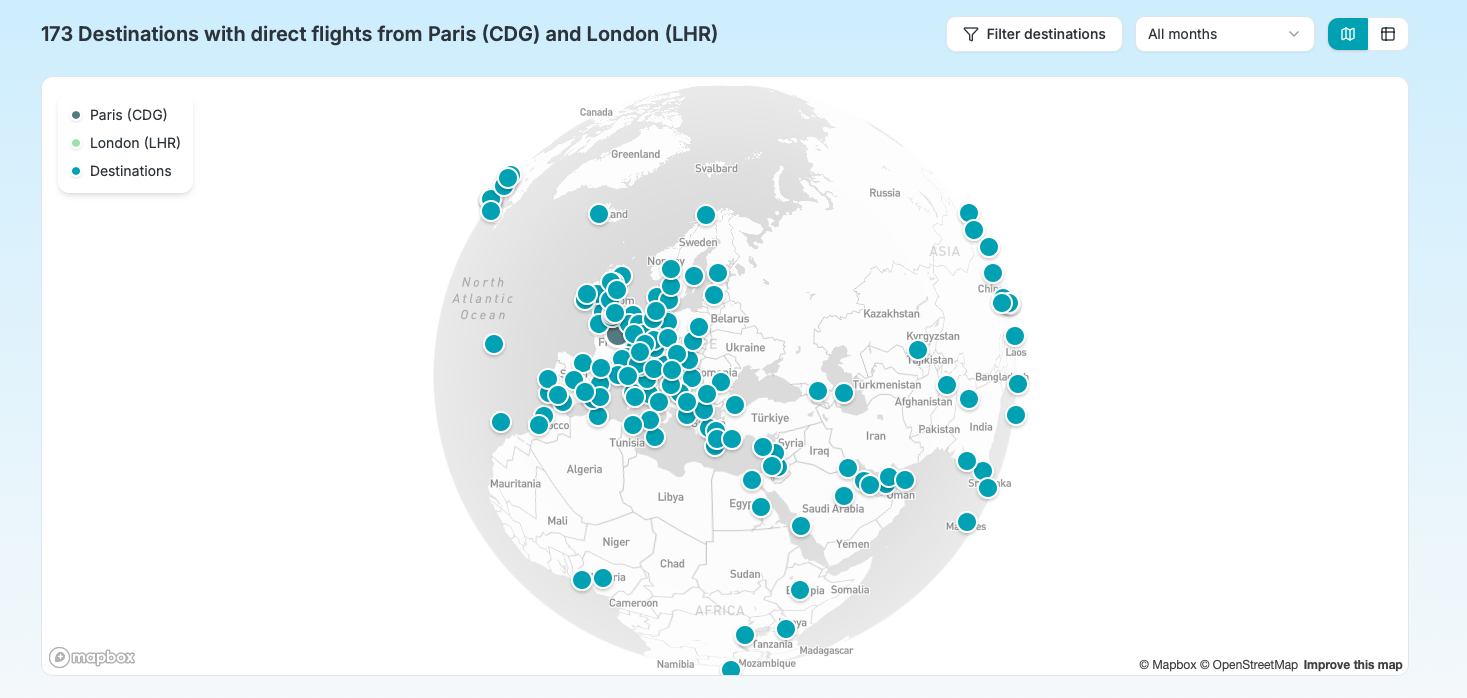
When you search for common destinations on Midway, you can get dozens of results. You need a way to narrow things down.
That’s what this update brings. Midway now has destination filters that let you refine results by distance, flight time, geographic region, and country — all without leaving the results page.
What you can filter on
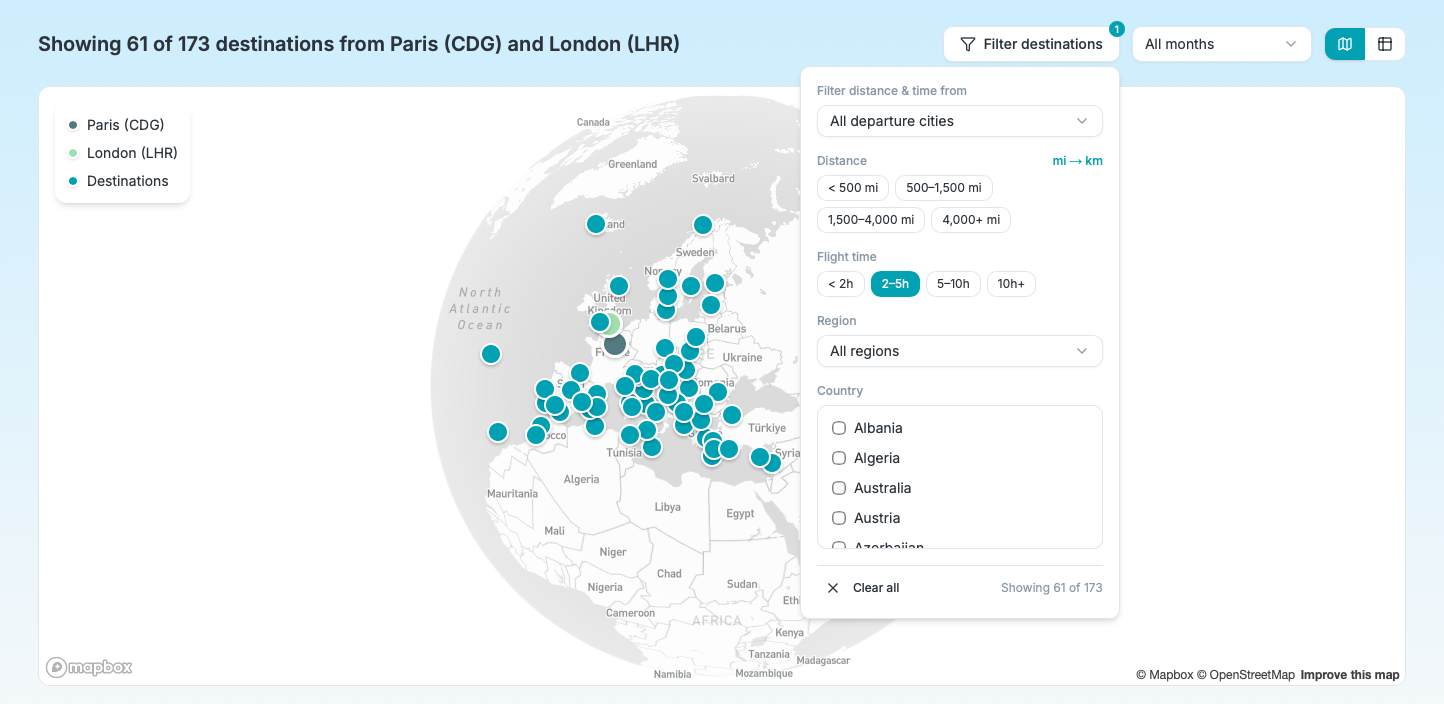
The new “Filter destinations” button sits right next to the month selector. Click it, and a panel opens with five ways to narrow your results:
Distance lets you pick a range: short hops under 500 miles, medium distances up to 1,500 miles, long-haul up to 4,000 miles, or ultra-long beyond that. A toggle switches between miles and kilometers, and Midway remembers your preference.
Flight time works the same way with time-based buckets: under 2 hours, 2 to 5 hours, 5 to 10 hours, or 10 hours and above. This is useful when distance alone doesn’t tell the full story.
Region narrows results to one of 13 geographic regions. Select “Southeast Asia” or “Western Europe” and the list updates instantly.
Country goes one level deeper. Once you’ve picked a region (or not), you can check one or more countries to focus on. The country list is dynamic — it only shows countries that have results.
Departure city changes the reference point for distance and flight time. By default, Midway shows only the destinations meeting the filter value across both departure cities. But if one traveler has stricter constraints (say, a shorter maximum flight time), you can switch to filter from their city specifically.
Filters on mobile
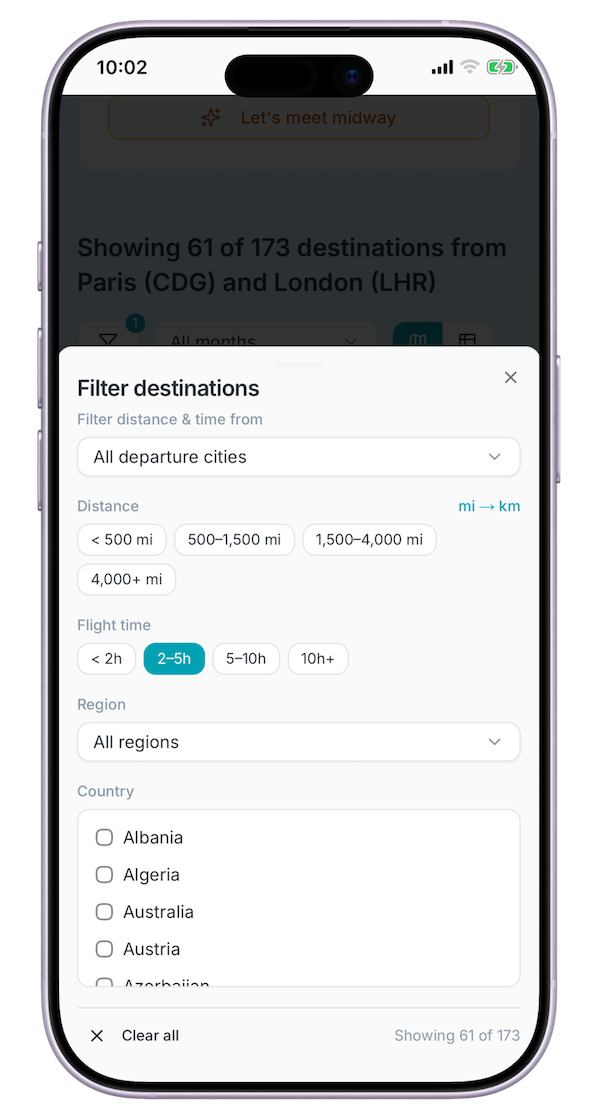
On smaller screens, the filter panel opens as a bottom sheet instead of a popover. It has the same options, just adapted for touch.
We also moved the feedback button out of the way on mobile — it was a floating button that could cover content. It’s now a simple text link in the footer.
Shareable filter URLs
Filter state is saved in the URL, just like the search parameters and selected month. Copy the link, send it to your group, and they’ll see the exact same filtered view. No need to explain which filters to apply — it’s all in the URL.
What’s next
I’m working on more features — check the release notes to see what’s planned. My main focus is to increase airport coverage since I got the data for only the most popular ones by region (around 600).
If something doesn’t work the way you expect, or if you have ideas for other filters, send me feedback.
Subscribe to the newsletter below to follow Midway's development.
Post published in Midway on