Three small changes that make Midway faster to use
In my previous blog post, I mentioned my goal to make it as easy as possible to find a destination. To get there, I need to remove as much friction as possible between someone visiting Midway and the “aha” moment — when they actually see results and understand what the tool does.
Since Midway isn’t a tool you’d use every day, the first visit can feel cold: just an empty form staring back at you. Maybe you heard about Midway and want to try it, even without a concrete trip in mind. So I’ve made a few changes to get you to results faster.
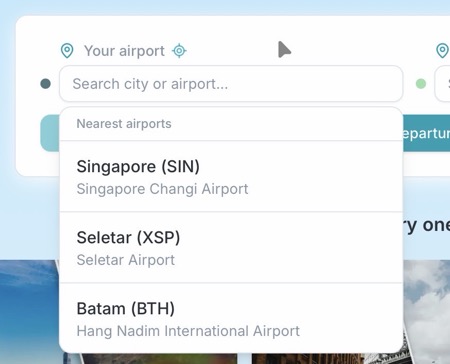
First, you can now geolocate yourself to find nearby airports — no need to type a name or code.
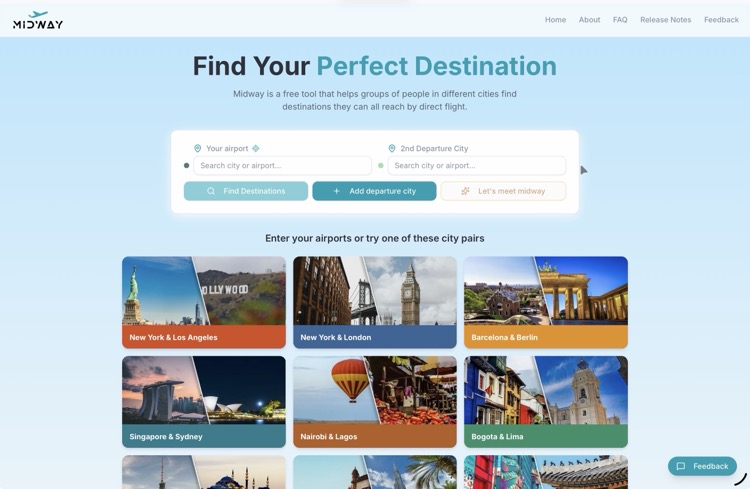
Second, the homepage now features 9 city pairs that, when clicked, auto-populate the form and immediately show common destinations. It’s the fastest way to see what Midway does.
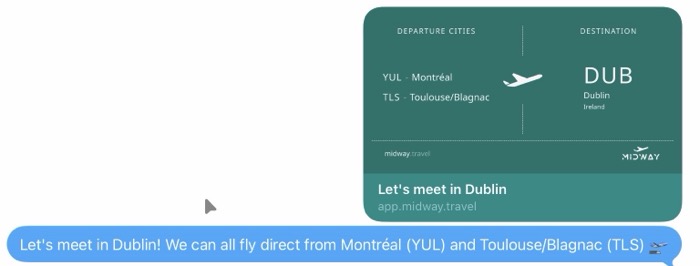
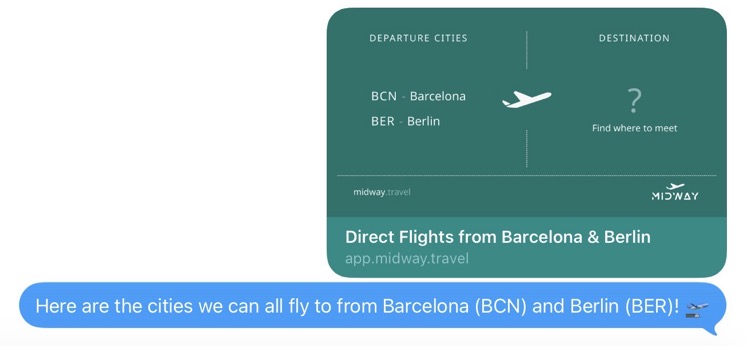
Third, I added sharing to the map, table, and destination cards. When you share a link, the preview card shows the destination details, and the recipient lands directly on the results, no setup needed on their end.
Subscribe to the newsletter below to follow Midway's development.
Post published in Midway on